
Overview
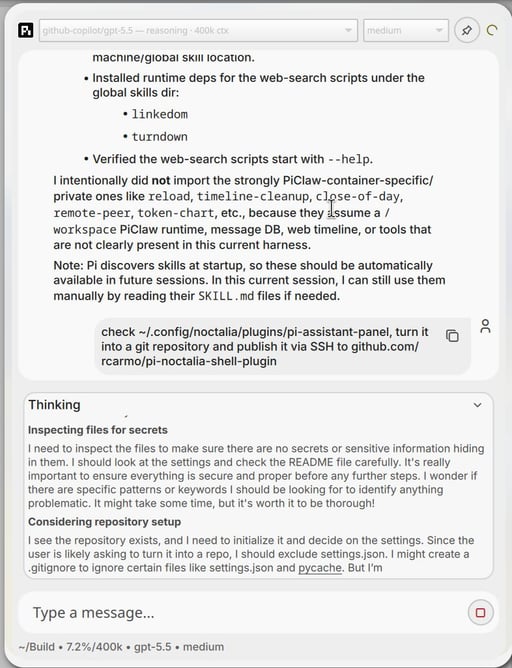
pi-noctalia-shell-plugin puts the Pi coding assistant in a Noctalia Shell panel. The QML interface provides a compact desktop chat surface, while Pi keeps responsibility for models, authentication and agent behaviour.
The interaction follows the panel design used in piclaw, but runs as a small local plugin rather than a web application.
How it works
The plugin starts a Python bridge in the background. That bridge launches pi --mode rpc and exposes a local Unix socket to the QML interface, translating panel messages and streamed Pi events across the process boundary.
Pi starts in ~/Build when that directory exists and falls back to the user's home directory. Tool access defaults to --no-tools; settings can switch the session to read-only or full tools.
Features
Native shell panel
QML components provide the bar widget, panel, floating window, message bubbles, settings and chat view.
Pi RPC backend
Uses Pi's supported RPC mode instead of scraping terminal output or reimplementing provider clients.
Local Unix socket
The Python bridge keeps transport on the local machine and separates QML UI concerns from the Pi subprocess.
Conservative tools default
Sessions start without tools. Users can select no-tools, read-only or full access from plugin settings.
Existing Pi configuration
Uses the model and credentials already configured through Pi, including its /login and /model flows.
Working-directory choice
Starts in ~/Build when available, otherwise in the home directory, so coding sessions begin in a predictable location.
Architecture
Posts
2026-07-25
The Chuwi MiniBook X N150, One Year Later