
remote-peer
extension
1 skill
Iroh-only client-ID peer chat with explicit pairing, default-off mDNS, durable delivery and files
Connect Piclaw instances by client ID using Iroh QUIC. All peer traffic uses Iroh, with direct connections and encrypted relay fallback. No public inbound HTTP endpoint is needed.
This is a clean break from Remote Peer 0.2: no old clients, HTTP peer routes, database migration or identity import. Existing installed files are left untouched. Both ends must install the new version and pair again.
Settings uses the host's Classic/Visual controls with full-width fields, compact section dividers and wrapped action rows. Long client IDs, peer names and delivery errors stay inside the pane on narrow screens. Incoming and outgoing permissions remain separate; these layout changes do not alter trust or transport behaviour.
The operator guide provides the complete Settings walkthrough, including discovery, relay choices, permissions, rotation and recovery.
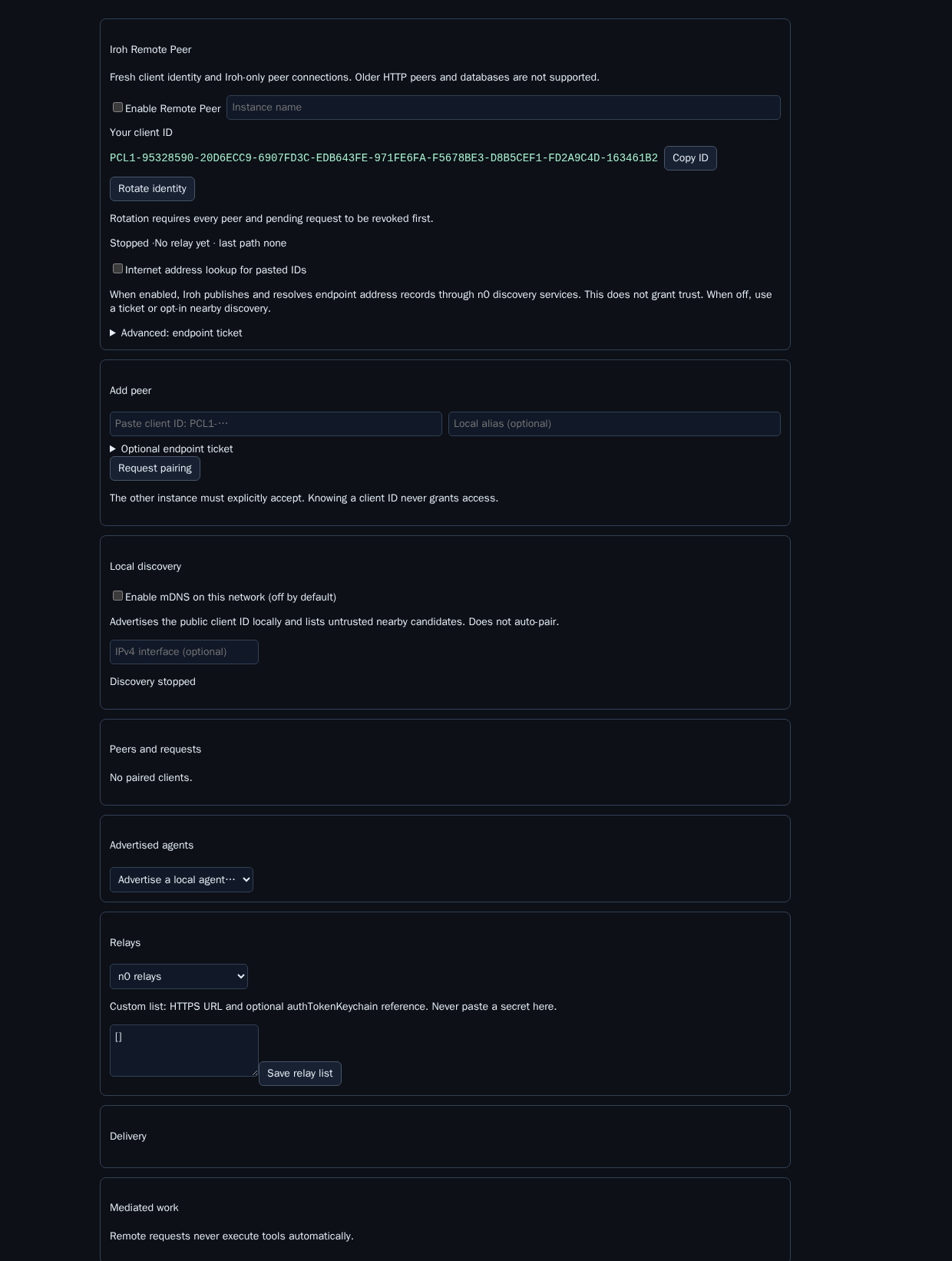
The fresh pane exposes the stable PCL1-… client ID and pasted-ID pairing. Internet address lookup and mDNS are separate controls and both start off.
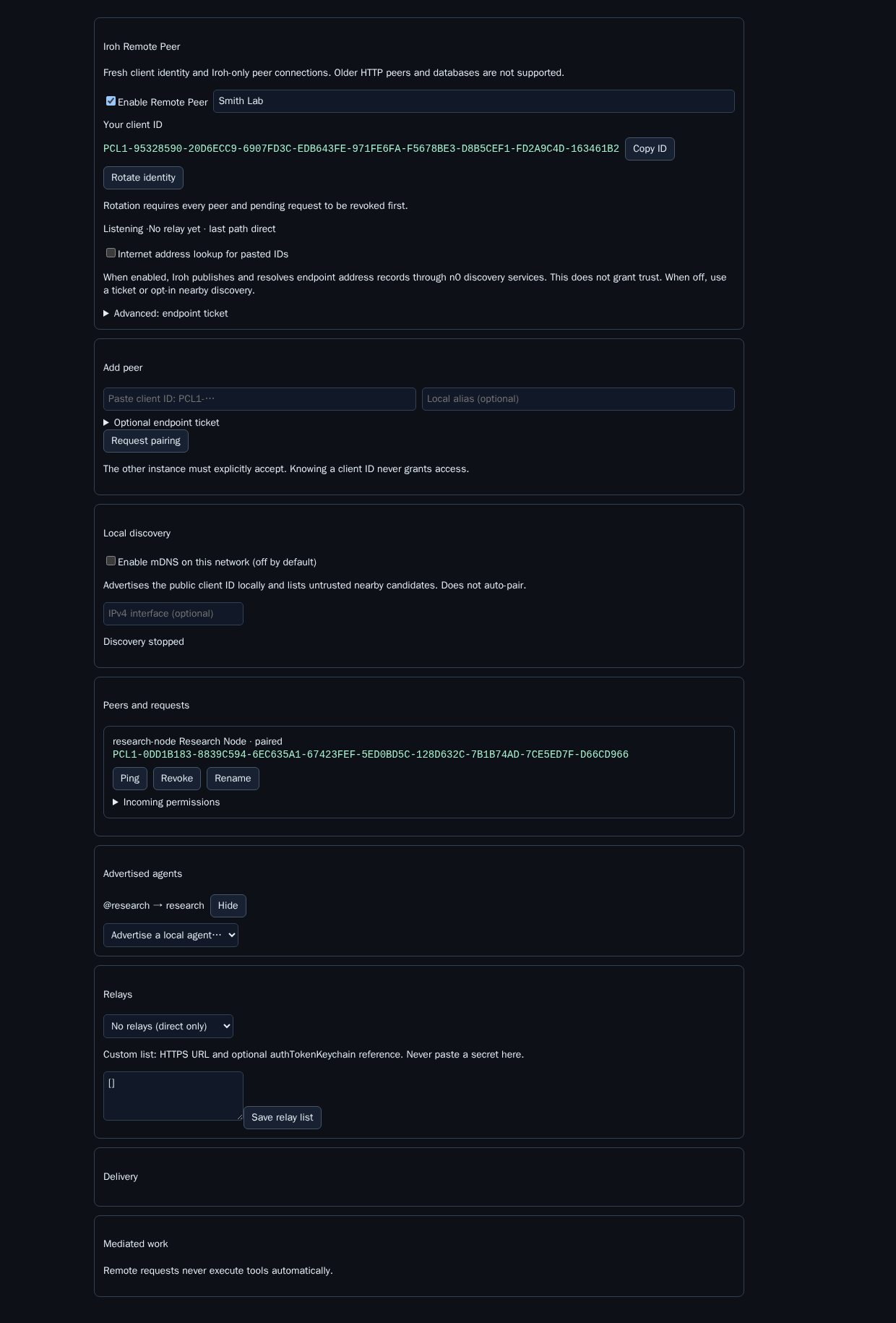
New pairings start with inbox-only, queue-only access and files disabled. Broader incoming permissions require explicit confirmation.
PCL1-…).Address lookup and mDNS are separate controls. Both default off. Without internet lookup, exchange an endpoint ticket using the advanced field, or opt into nearby discovery. A bare public key contains no routable address.
Enable mDNS on this network is off by default. Disabled means no multicast socket, advertisement, browser query or discovery timer. Enabling advertises minimal public ID/version hints and displays nearby, untrusted candidates. Selecting a candidate fills the pairing ID; it never grants trust.
An optional IPv4 interface restricts advertisements. mDNS typically stays on one multicast segment; VLANs, VPNs, containers and access points may block it. Manual ticket pairing still works. The implementation uses bonjour-service@1.4.4 on Bun's node:dgram compatibility; no system Bonjour/Avahi service is required.
Agents use the normal chat tool:
chat({ action: "directory" })
chat({ target_address: "lab!inbox", content: "Please review this", mode: "queue", idempotency_key: "review-1" })
Advertise a local agent and explicitly grant it before using lab!@research. Reply to supplied opaque lab!reply.… addresses without decoding them. Queue/auto/steer and file permissions remain receiver-controlled. Broader permissions require ALLOW REMOTE ACCESS confirmation.
Files are sent as raw bytes inside bounded Iroh frames: four files maximum, 16 MiB each, 32 MiB total. SHA-256 is checked at both ends. Outbound payloads are stored until acknowledged; retries reuse message IDs and return a stored receipt without duplicating normal completed delivery.
If the receiver crashes between calling Piclaw delivery and recording the receipt, its record remains delivering. Retries report an unknown outcome rather than risking duplicate tool-triggering messages. Inspect that record before taking further action; exactly-once delivery across that crash boundary is not claimed.
Work requests remain operator-mediated. Neither a pairing nor an execute request grants tool execution. Reviewed results may be returned from Settings or the management tool.
Under Advertised agents, Advertised sessions lets an operator refresh and choose an exact local target, advertised agent alias, public session alias and modes. Idle sessions are valid. Each peer then needs an explicit session grant in its incoming draft and ALLOW REMOTE ACCESS consent. Named-agent selection and all-advertised never grant sessions implicitly.
Use only directory-returned peer!@agent/session addresses. Delivery rechecks the stored incarnation; stale lifetimes reject without named-agent fallback. Older hosts without the required APIs report session targets as unavailable. Hiding an advertisement removes its grants. Every advertisement/re-advertisement creates a fresh revision and requires fresh grants, even for the same lifetime. If it changes during editing, typed consent is cleared and Apply stays blocked until Revert, current-session reselection and fresh confirmation. Outgoing permissions show read-only session grants and readiness status. See the operator steps.
Each paired peer shows two separate directions:
Broader incoming policies still require typing ALLOW REMOTE ACCESS. Apply is
disabled while saving, with no delivery modes selected, or when polling detects
that the saved policy or a selected session advertisement changed during editing. Success appears only after a
separate dashboard read verifies the saved policy. Failures retain the draft and
show an error. A failed readback can follow a successful write; Revert or retry
to reconcile rather than assuming the write failed.
Apply includes the original saved policy and pairing epoch. The backend compares
them and writes under one SQLite transaction; a concurrent restriction or
re-pairing rejects the stale draft without changing permissions. Readback also
checks that pairing epoch. The optional expected_policy/expected_epoch fields
are supported by the management API; older explicit operator policy calls remain
compatible, while Settings always supplies both.
Sending files to a peer requires that peer to allow incoming files from this instance. Enabling incoming files locally affects the opposite direction. The sender must refresh its directory after the receiver applies changes. The four file / 16 MiB each / 32 MiB total limits are enforced protocol bounds, not editable permissions. Revocation/removal and their confirmations stay separate.
All text, select and multiline fields use the host's shared same-skin Settings controls, associated labels and bounded widths. Classic retains its existing field shape; Visual uses its own shape. A scoped fallback keeps older supported hosts readable. Native checkbox/radio controls are not stretched or restyled as text fields.
Fresh state lives under <addon-data>/iroh-v1/: secret-key.bin (32 bytes, mode 0600), peers.db and SQLite WAL files. The Iroh Ed25519 public key is the client identity, displayed with a checksum for copying. The secret is never returned by Settings or tools. Old state.db and identity.json are not read or changed.
Pinned dependencies: @number0/iroh@1.1.0 (prebuilt N-API) and bonjour-service@1.4.4. No local Rust/native compiler is required. The published Iroh entrypoint layout is handled by loading its explicit root index.js. Unsupported native targets receive an error rather than a source-build attempt. Target runtime: Bun 1.4.1 and Piclaw 3.0.1 or newer with add-on lifecycle API v1 (core PRs #1285 and #1288).
Custom relays require HTTPS URLs. Authentication is an optional keychain entry name, never a secret pasted into configuration. Do not enable public address lookup if private address publication is unacceptable. Iroh relay networking may itself use HTTP/WebSocket internally; the removed HTTP transport is Remote Peer's application transport.
remote_peer actions: status, identity, ticket, pair, accept, deny, revoke, forget, alias, policy, remote_permissions, advertise, unadvertise, session_targets, session_advertise, session_unadvertise, ping, retry, work_send, work_review.
Settings uses /agent/addons/api/remote-peer/config and /dashboard. The old /pair command and HTTP pairing protocol are removed. Removing a revoked record requires full-ID confirmation and only permits a new explicit pairing attempt.
POST /agent/addons/api/remote-peer/dashboard with
{"action":"remote_permissions","peer":"<id-or-alias>"} returns a validated
remote roster in result. It never writes local policy and fails if the peer is
revoked, replaced or disabled while the request is in flight.
See test evidence. Local Bun 1.4.1 tests cover real loopback QUIC pairing/messages/files/replies, persistence, permission gates, frame/signature rejection and discovery lifecycle. A same-host n0 probe passed bare-client-ID pairing with mDNS off. Smith and VM 900 passed real two-device multicast discovery, explicit approval and one message over a direct Iroh path. Separate Docker networks with peer-address UDP rejected passed one message over the selected EU n0 relay. These owned fixtures were removed after verification.
remote-peer